

Buyers expect to experience your product before they ever talk to sales. Product tours have emerged as one of the most effective ways to meet that expectation by delivering guided, self-serve product experiences that scale without adding headcount. For presales teams, solutions engineers, and marketing leaders, product tours fill a critical gap: they put the product in front of buyers faster, reduce scheduling friction, and give every stakeholder a consistent view of what the software can do. This guide covers what product tours are, how they differ from other demo formats, where they add the most value across the funnel, and how to build tours that actually drive pipeline.
What is a product tour?
A product tour is a guided, interactive walkthrough of a software application designed to show users how the product works, what problems it solves, and why it matters. Unlike a live demo led by a sales engineer or a static video recording, a product tour lets the viewer click through the experience at their own pace, following a predefined path through key features and workflows.
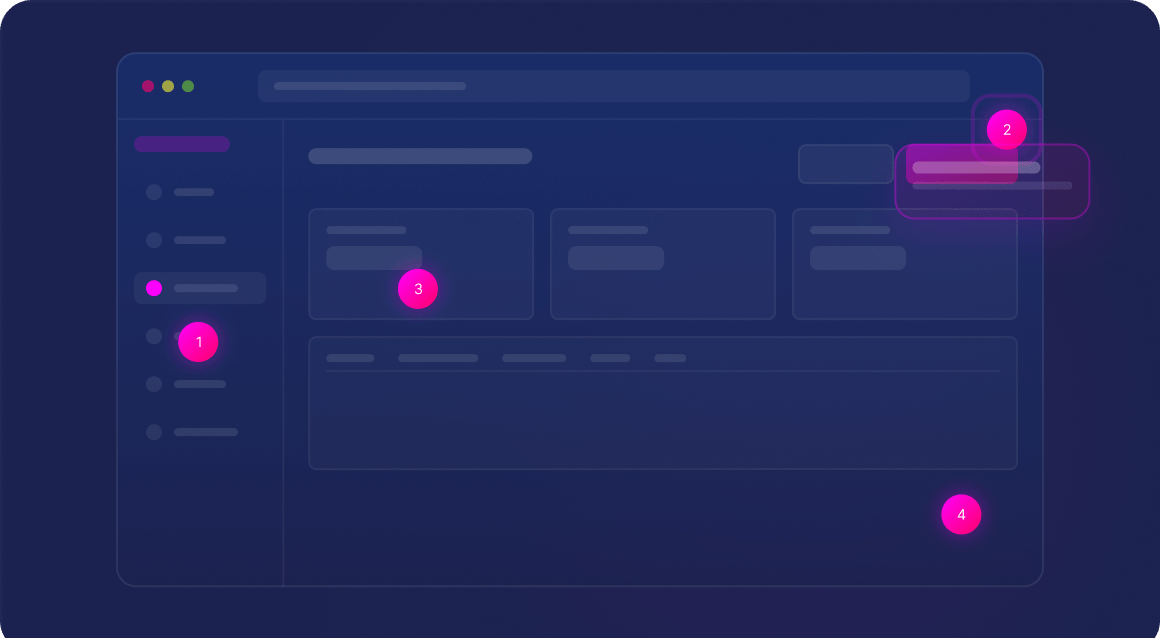
Product tours are typically built by capturing screens from the actual application and layering them with annotations, tooltips, dialogs, and navigation prompts that guide the viewer through a structured narrative. They can be embedded on websites, launched from CTA buttons, shared via public or password-protected links, or included in demo hubs and resource centers. Some platforms go further by offering multiple tour formats. Saleo Capture, for example, supports both Guided Tours (scripted flows with tooltips, dialogs, and navigation controls) and Lite Sandboxes (clickable self-guided tours with optional guidance), giving teams the flexibility to match the tour format to the buyer’s preferred way of exploring.
In the context of B2B sales and presales, product tours serve as a scalable entry point to the product experience. They allow prospects to explore the software before a scheduled call, giving sales teams a warmer, more informed conversation when they do connect.
How product tours differ from other demo formats
Product tours occupy a distinct position in the demo landscape. Understanding how they compare to other formats helps teams use the right tool at the right stage of the buyer journey.
|
Format
|
Delivery
|
Interactivity
|
Best For
|
|---|---|---|---|
|
Product Tour (Guided)
|
Self-serve, async
|
Scripted click-through path
|
Early exploration, marketing, enablement
|
|
Lite Sandbox
|
Self-serve, async
|
Free exploration with optional guidance
|
Deeper self-serve exploration, sales leave-behinds
|
|
Live Demo
|
Synchronous, human-led
|
Real-time, adaptive
|
Discovery, technical validation, executive conversations
|
|
Sandbox / POC
|
Self-serve or guided
|
Full product interaction
|
Technical POCs, integration validation
|
|
Demo Video
|
Passive viewing
|
None (watch only)
|
Awareness, social, top-of-funnel
|
|
AI Demo Agent
|
Autonomous, always-on
|
Adaptive, conversational
|
Instant demos, repeatable harbor tours
|
Product tours excel at scaling access. They remove the scheduling bottleneck and let multiple stakeholders explore the product independently. But they follow a predefined or semi-guided path, which means they cannot adapt in real time when a buyer has a specific question or wants to pivot the conversation. That is where live demos and AI demo agents provide additional value.
Why product tours matter for B2B teams
Product tours address several challenges that B2B revenue teams face as they scale.
They accelerate time to first product experience
When a prospect visits your website or clicks a campaign link, a product tour can deliver an instant product experience with zero scheduling required. That speed matters. Buyers who see the product sooner build momentum faster, and deals that start with early product exposure tend to move through the pipeline more efficiently.
They scale access without scaling headcount
Solutions engineers and presales teams are high-value resources. Product tours handle the repeatable, early-stage product exposure that would otherwise consume SE time, freeing those teams to focus on complex technical evaluations and discovery-driven conversations.
They standardize messaging across the buyer journey
Every viewer of a product tour sees the same narrative, the same feature highlights, and the same positioning. This consistency is especially valuable when multiple stakeholders within a buying committee are evaluating the product at different times.
They generate engagement data for sales follow-up
Modern product tour platforms track which screens buyers viewed, how long they spent on each step, and where they dropped off. That engagement data gives sales and presales teams targeted signals for follow-up, sharper discovery, and better-informed live demo conversations. Saleo Capture, for example, tracks completions, time in tour, drop-offs, and captured leads, then connects that data to the rest of your tech stack so insights flow directly into your sales workflow.
Where product tours fit across the funnel
Top of funnel (marketing and demand generation): Embed tours on landing pages, in outbound campaigns, and on the website to convert interest into product engagement. Tours at this stage serve as lead qualification tools by revealing which prospects are actively exploring the product. With Saleo Capture, marketing teams can create and update interactive demos using a Chrome extension with no code or engineering support required, keeping tour content aligned with the latest product experience.
Mid-funnel (sales and presales): Share tours as pre-meeting collateral or interactive leave-behinds to prepare buyers for a live demo or discovery call. This lets the sales team spend less time on introductory walkthroughs and more time on the workflows and use cases that matter most to each buyer. Teams can send a Capture tour to a prospect for pre-meeting context, then use Saleo Live to deliver a real-time, personalized demo during the meeting that follows.
Post-sale (onboarding and customer success): Use tours to guide new users through key features, reducing time to value and support ticket volume. Product tours also work well for feature adoption campaigns when launching new capabilities. Capture can support tours for web, mobile, and desktop applications, making it easy to build tours across multiple product surfaces/device types
Partner and channel enablement): Distribute tours to channel partners so they can show the product without needing to build demos from scratch or wait for internal teams to create custom environments. With the Saleo Partner Portal, organizations can share Capture-based guided tours and sandbox flows directly to partners, enabling autonomous demo delivery while maintaining brand and messaging control.
Event follow-ups and outbound: Share password-protected or public tour links after events, conferences, or outbound touchpoints to keep momentum alive when a live conversation is not immediately available.
How product tours work alongside live demos and demo automation
Product tours are not a replacement for live demos. They are a complement. The most effective demo strategies combine self-serve product tours for scale and accessibility with human-led live demos for depth, discovery, and technical validation.
In practice, many B2B teams use product tours to warm up buyers before a live call. The tour delivers baseline product understanding, and the live demo then builds on that foundation with tailored scenarios and real-time Q&A. This approach reduces the need for repetitive introductory walkthroughs and lets solutions engineers focus their time on high-impact conversations.
Saleo is built to support this layered approach on a single platform. Saleo Capture enables teams to create interactive guided tours and lite sandbox experiences and turn them into scalable, reusable demo content for every stage of the funnel. When the conversation moves to a live session, Saleo Live lets presales teams inject curated demo data into the native application, adapting the demo in real time by switching scenarios, adjusting data, and responding to buyer questions mid-call. The relationship between the two is intentional: Live brings the product to life with real data, and Capture preserves that moment and extends it across every GTM channel. Because both run on the same demo data foundation, the product story stays consistent from the first self-serve tour through the final live evaluation.
For teams also looking at autonomous demo delivery, Saleo’s AI Demo Agent adds a third layer by providing always-on, adaptive product experiences that can guide buyers conversationally, filling the gap between static tours and scheduled live demos.
Building effective product tours: practical guidance
1. Start with the buyer’s problem, not your feature list
The most engaging tours open with the pain point the buyer is trying to solve and then show how the product addresses it. Feature-first tours lose attention quickly.
2. Keep tours focused and concise
Aim for 8 to 15 steps per tour. Tours that try to cover every feature overwhelm the viewer. Build multiple shorter tours organized by use case or persona instead of one comprehensive walkthrough.
3. Use realistic demo data
Buyers notice when demo data feels generic. Use data that reflects the scenarios and metrics your target audience cares about. Platforms that capture directly from the live product, including animations and dynamic UI states, make this easier because the tour automatically reflects realistic workflows rather than static screenshots that go stale. Saleo Capture’s Delayed Capture feature, for instance, lets teams grab dynamic UI states so that interactive elements render authentically in the finished tour.
4. Personalize at scale without rebuilding
The best product tour platforms let you tailor tours for different audiences without starting from scratch. Look for capabilities like inline text and image editing, global find-and-replace across tours, and reusable branding themes so you can quickly spin up persona-specific or industry-specific versions of the same core walkthrough.
5. Gate strategically
Consider offering the first few steps ungated for maximum reach, then gating deeper exploration behind a form. This balances lead capture with accessibility.
6. Connect tour analytics to your CRM
Tour engagement data is only valuable if it reaches your sales and presales teams. Integrate with your CRM and RevOps systems so tour completions, time spent, and feature interest are visible on opportunity records.
7. Keep tours and live demos on the same foundation
When product tours and live demos run on different data or tell different stories, buyers notice the inconsistency. Using a single demo data platform for both tour creation and live demo enhancement ensures that every product experience, whether self-serve or human-led, tells the same story.
FAQ
Q: What is a product tour in B2B software?
A: A product tour is a guided, interactive walkthrough that lets prospects explore a software application at their own pace. Tours use screen captures from the real product layered with annotations, tooltips, and navigation prompts to walk viewers through key features and workflows.
Q: What is the difference between a guided tour and a lite sandbox?
A: A guided tour follows a scripted, step-by-step path with tooltips and dialogs directing the viewer through a specific narrative. A lite sandbox is a clickable, self-guided experience with optional guidance that lets the viewer explore more freely. Both formats serve different learning styles and can be used at different stages of the buyer journey.
Q: How is a product tour different from a live demo?
A: A product tour follows a predefined or semi-guided path and is self-serve. A live demo is led by a human (typically a sales engineer) in real time and can adapt to buyer questions and discovery insights. Both formats serve different purposes and work best when combined.
Q: Can product tours replace solutions engineers?
A: No. Product tours handle scalable, early-stage product exposure. Solutions engineers provide discovery-driven conversations, technical validation, and the narrative-driven persuasion that closes complex B2B deals. Tours free SEs from repetitive introductory walkthroughs so they can focus on high-impact work.
Q: Where should I embed product tours?
A: Common placements include website product pages, landing pages, outbound email campaigns, demo hubs, partner portals, event follow-up sequences, sales leave-behinds, and post-sale onboarding flows.
Q: How do product tours fit into a demo automation strategy?
A: Product tours are a core component of demo automation. They scale early-funnel product access and standardize messaging. When paired with live-demo enhancement tools like Saleo Live and sandbox environments for technical validation, tours become part of a layered demo strategy that covers the full buyer journey. When used with Saleo Live, Saleo Capture shares the same demo data foundation, keeping the product story consistent across self-serve and human-led experiences. You make the native app data complete with Live. Then you capture that better product state. The moment you hit the capture button, the data becomes static.
Q: What is Saleo Capture?
A: Saleo Capture is Saleo’s interactive demo and product tour product. It lets teams capture snapshots of their real product from web, mobile, or desktop with a single click, then build interactive guided tours and lite sandbox experiences using a no-code Chrome extension. Teams can add tooltips, dialogs, and clickable links, edit text and images, apply branded themes, and distribute tours through any GTM channel while tracking completions, engagement, and captured leads.
Q: What metrics should I track for product tours?
A: Key metrics include tour completion rate, average time per step, drop-off points, tour-to-meeting conversion rate, captured leads, and downstream pipeline influence. Connecting tour analytics to CRM data ties engagement to revenue outcomes.
Create product tours at scale
Demo software and demo automation are essential parts of modern B2B revenue stacks, but they are most powerful when used together with live-demo craftsmanship.
If your team depends on live demos to win and wants to scale without losing the human story, request a demo with Saleo to see how we deliver the best results in 2026 and beyond.


